
The Fn2 layer
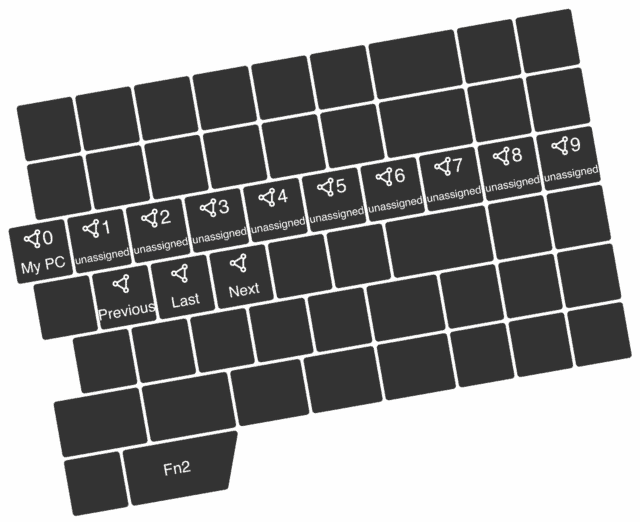
Use the following default mappings of the Fn2 layer for connection switching. The top row mappings enable absolute connection switching, while the bottom row allows for relative connection switching.
The UHK has 22 connection slots, which can be filled with Bluetooth, dongles, and USB hosts. You can see connections 0 to 9 mapped below.
- Pairing: Tap a host connection switch (e.g., fn2+U, fn2+I, ...) to which you want your device associated. Select "UHK 80" on the host device and enter the pairing code on your UHK.
- Connecting: Tap the associated connection switch. Most devices will connect immediately.
- Clearing the slot: Just hold the connection switch for 5 seconds, until the OLED screen displays "Bluetooth slot unpaired".
Finally, install Agent and customize your UHK to your needs.